
Classic Driver Pay (Rate Setup and Export)
DashFuel's original Driver Pay path still runs in parallel with the pay-programs engine. Use it when your company hasn't switched to programs, or when you need the legacy export format. Managers who only need the modern path can ignore this article — see Pay Programs and Payroll instead.
Rate Setup
Admins set classic rates under Company Management → Driver Pay Rate Setup.
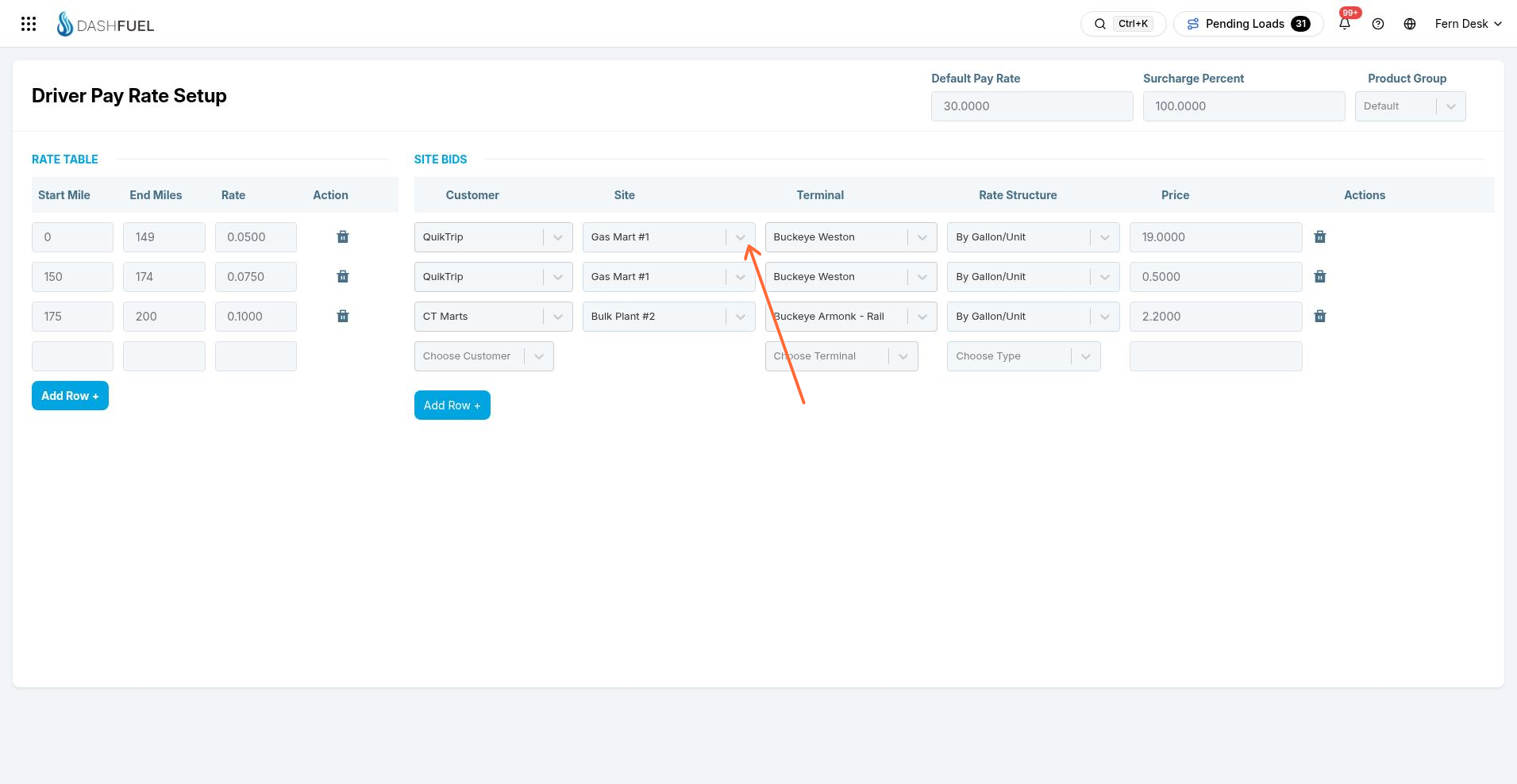
Default Pay Rate and Surcharge Percent — the company-wide baseline, used when no more specific rate matches.
Rate Table — mileage-band rates, with optional terminal and fuel type filters so a band only applies on certain lanes or products.
Site Bids — a fixed rate for a specific terminal + delivery-location pair, which overrides the rate table for that exact lane.
Rate calculation for a delivery walks site bid → matching rate-table row → default rate, then applies the surcharge. The result is written onto the freight bill as the delivery's driver-pay amount.
Driver Pay export
The classic Driver Pay page (Paperwork menu) lists completed deliveries with their calculated pay. Filter by status, customer, driver, and date range; the table shows the driver, BoL, miles, and pay for each delivery.
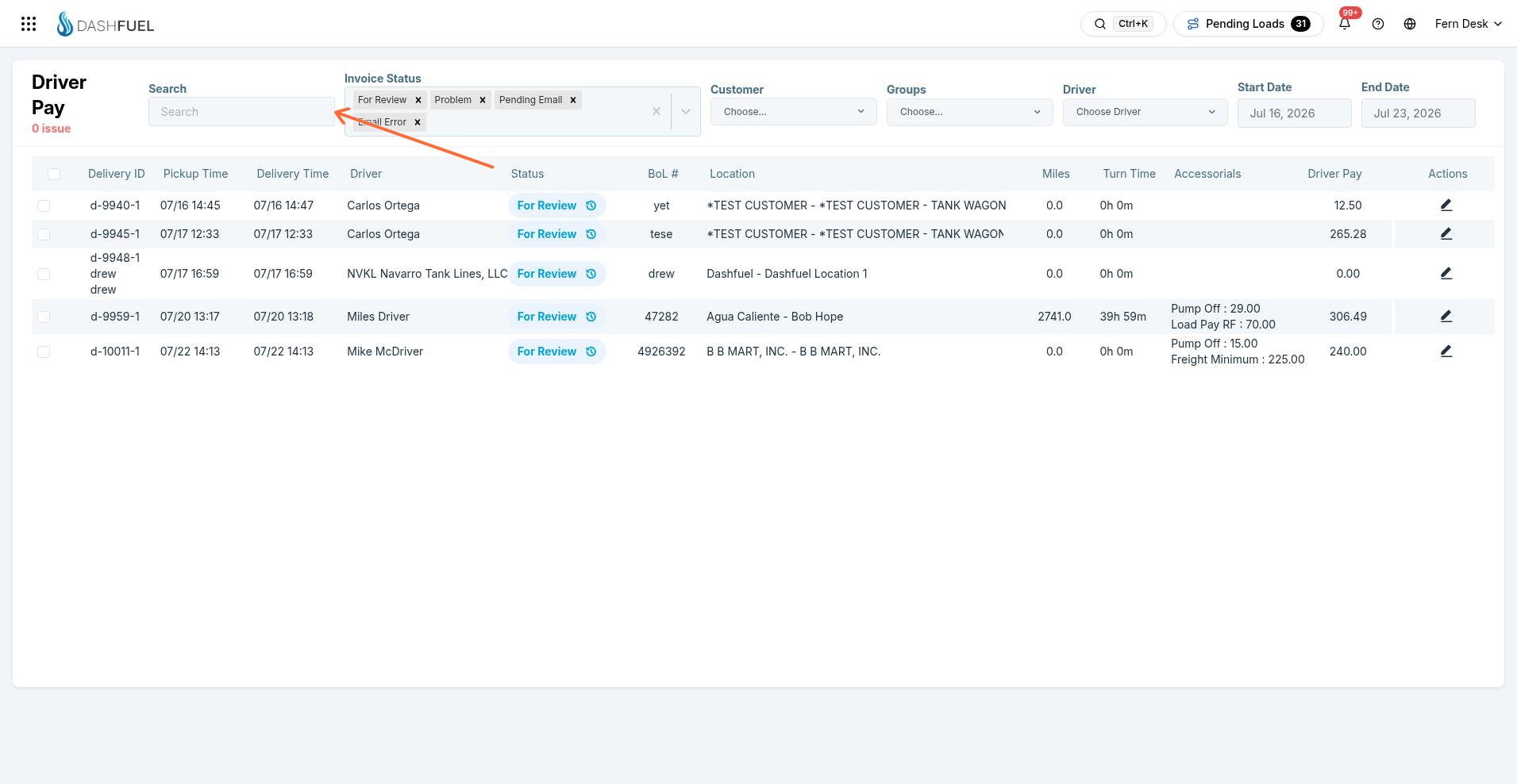
Export Driver Pay downloads a CSV of the filtered results. The export also marks those deliveries as paid in the classic path — same "export = paid" idea as the modern payroll flow, just on this page.